
How Kanna works
Kanna is one Bun process on your machine with a browser UI in front of it. Four ideas explain almost everything else in these docs.
One server, many agents
Section titled “One server, many agents”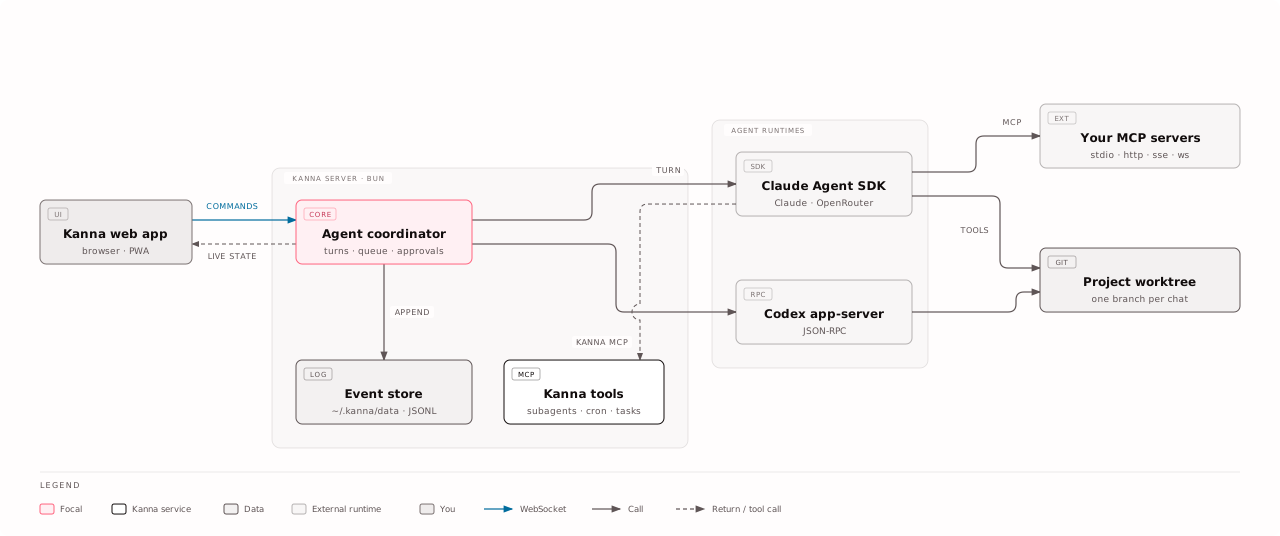
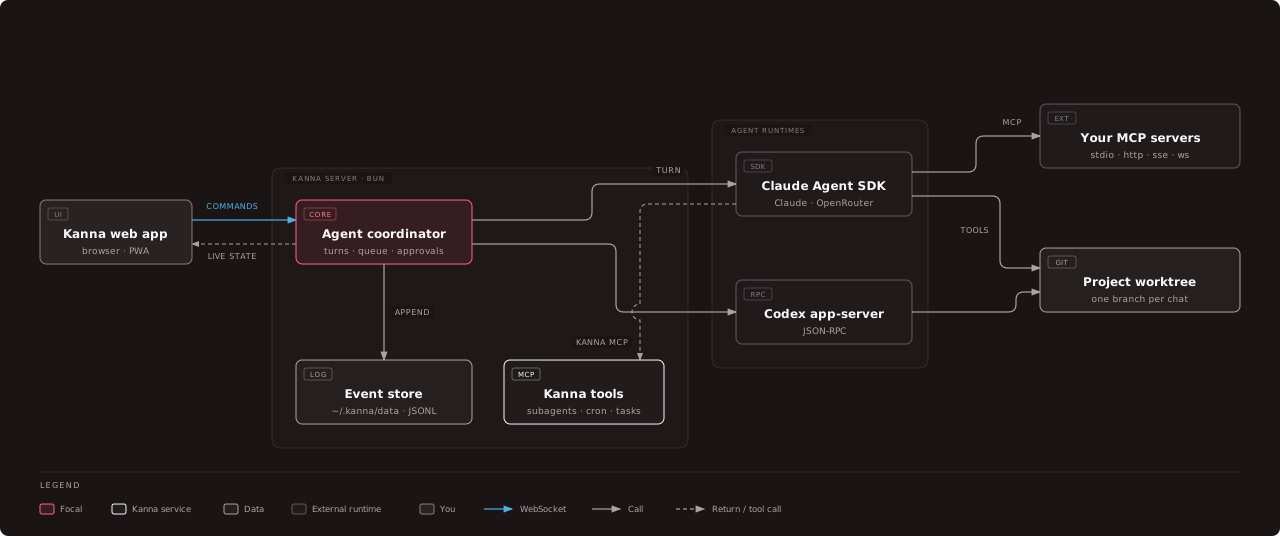
The browser sends commands over a WebSocket. The agent coordinator runs each turn on a provider: the Claude Agent SDK (which also serves OpenRouter models) or the Codex app-server. The agent edits files in the chat’s project or worktree, and calls tools: your own MCP servers and Kanna’s tools for subagents, cron, boards and the task list.
Everything is an event
Section titled “Everything is an event”Every change, from a renamed chat to a streamed tool result, is appended to an
event log under ~/.kanna/data. The screen you see is derived from that log.
That is why a page refresh, a server restart or a dropped connection loses
nothing: the server replays the log and the chat comes back as it was. The
architecture page has the details.
Every trigger is a message to a chat
Section titled “Every trigger is a message to a chat”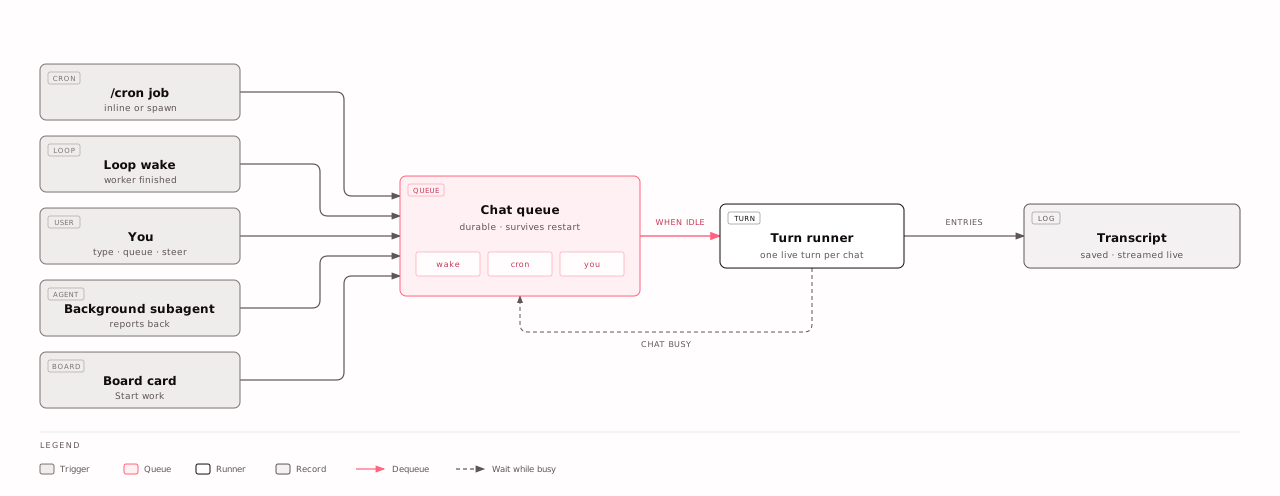
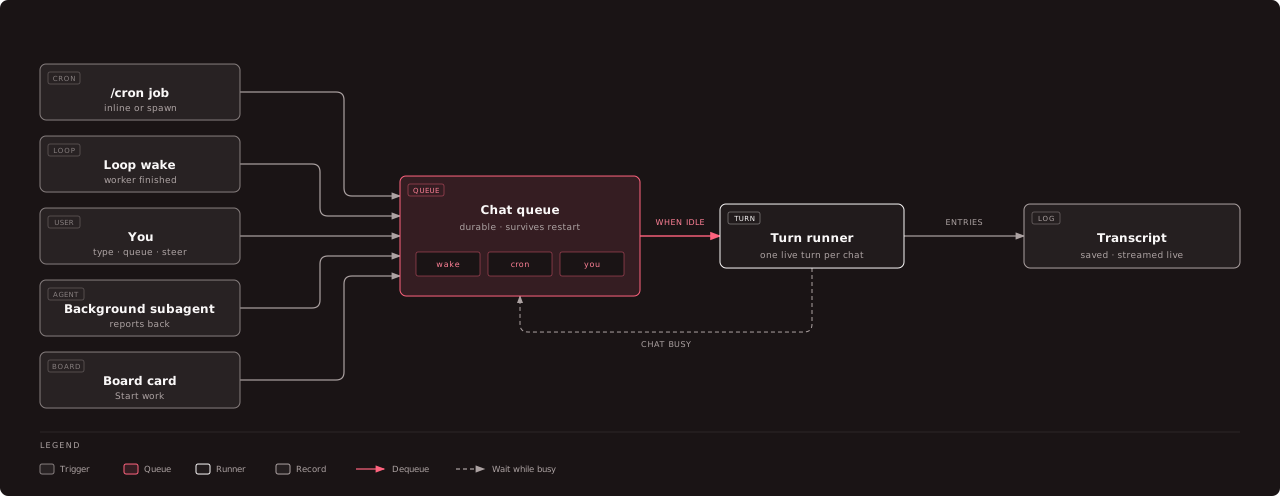
You typing, a cron job firing, a loop waking, a subagent reporting back: all of them become a message in the chat’s queue. A chat runs one turn at a time and starts the next message when it is idle. The queue is saved to disk, so work you scheduled survives a restart.
One card, one worktree, one chat
Section titled “One card, one worktree, one chat”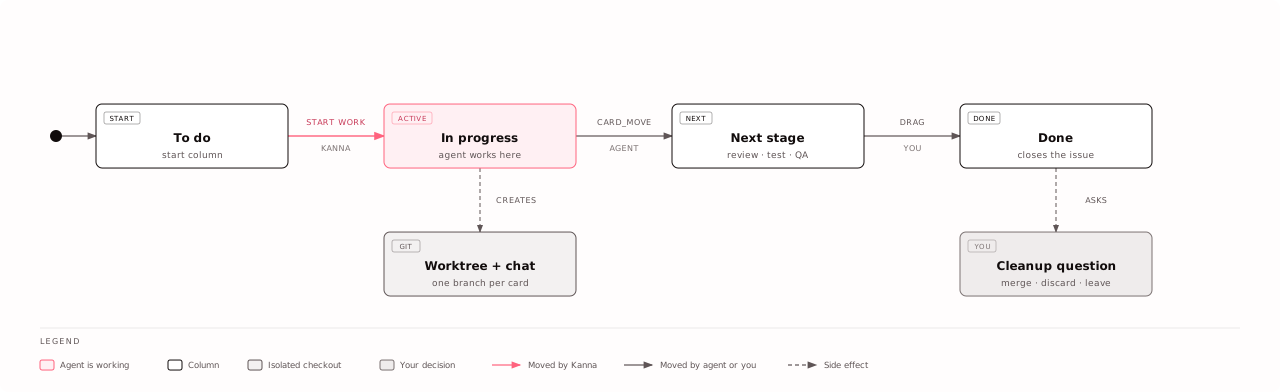
On a board, Start work gives a card its own branch, git worktree and chat. Several agents can then work at once without touching each other’s files. The agent moves its card forward when the work is verified; only you move it to Done.